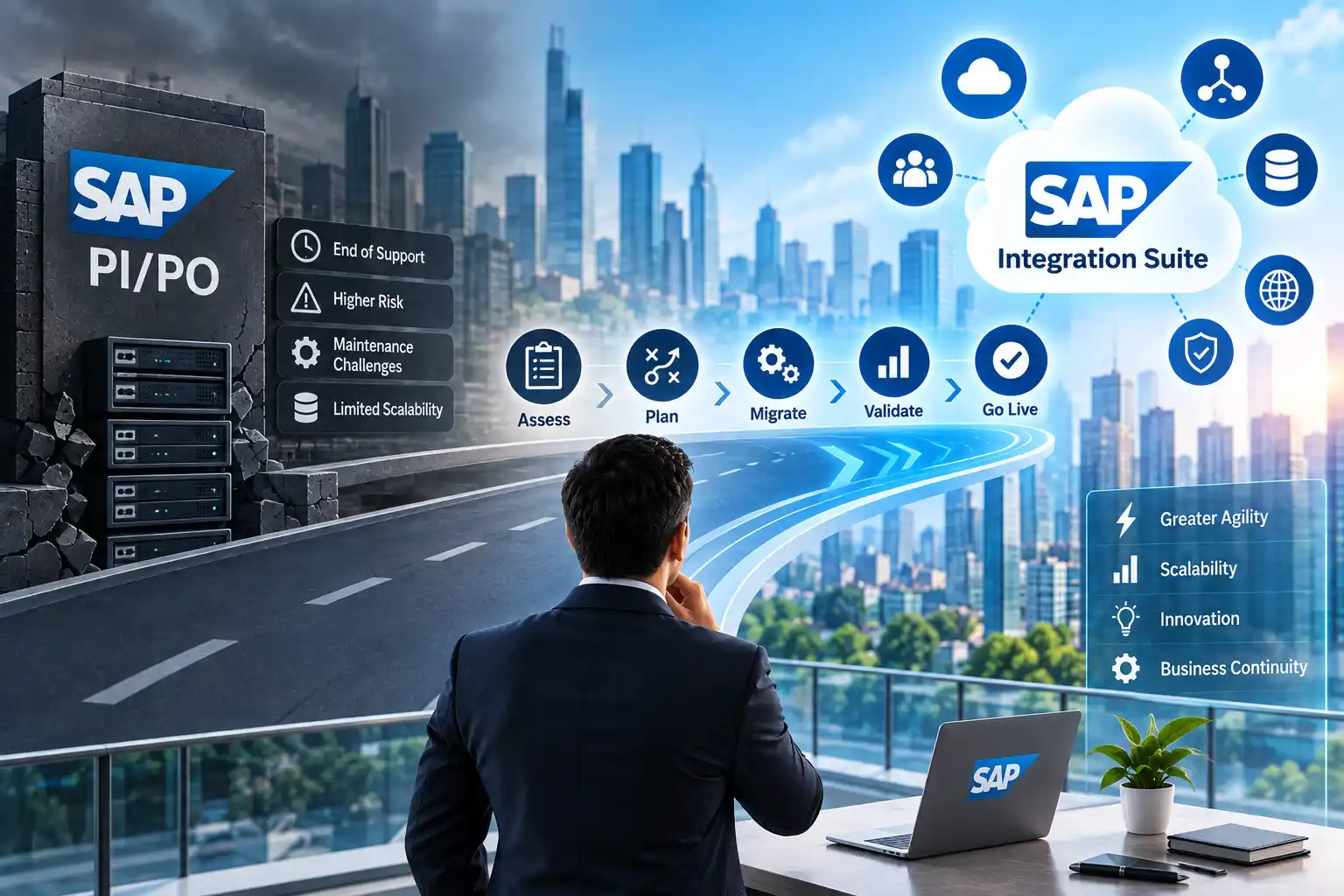
SAP Process Integration (PI) and SAP Process Orchestration (PO) have supported enterprise integration landscapes for years, connecting SAP and non-SAP systems across finance, procurement, supply chain, manufacturing, customer operations, and other critical business processes.
As enterprises modernize their SAP landscapes, many IT leaders are now planning a SAP PI/PO migration to SAP Integration Suite. The challenge is not simply moving interfaces from one platform to another. The real challenge is completing the migration without disrupting business-critical integrations.
A poorly planned migration can create interface failures, unexpected redevelopment work, testing gaps, data inconsistencies, and operational issues. A structured SAP PI/PO migration strategy helps organizations understand their existing integration landscape, prioritize workloads, identify migration risks, and transition to SAP Integration Suite in controlled phases.
SAP provides Migration Assessment capabilities to help organizations evaluate existing SAP Process Orchestration scenarios and estimate the effort involved in moving them to SAP Integration Suite. SAP also identifies different migration categories, including scenarios that are ready to migrate, scenarios requiring adjustments, and scenarios requiring further evaluation.
This guide explains how enterprises can approach SAP PI/PO migration while protecting business continuity.
What Is SAP PI/PO Migration?
SAP PI/PO migration is the process of assessing, redesigning where necessary, and moving existing SAP Process Integration or SAP Process Orchestration interfaces and integration scenarios to a modern integration platform such as SAP Integration Suite.
The migration can involve:
- Interface assessment
- Integration landscape discovery
- Existing object and dependency analysis
- Migration readiness assessment
- Integration flow migration
- Mapping and transformation adjustments
- Adapter changes
- Security and connectivity configuration
- Testing
- Performance validation
- Production cutover
- Post-migration monitoring
The important point is that PI/PO migration should not be treated as a simple technical conversion.
Every enterprise has a different integration landscape. Some interfaces may be relatively straightforward to migrate, while others may contain custom developments, complex mappings, legacy adapters, business-specific logic, or dependencies that require redesign.
SAP’s Migration Assessment classifies scenarios according to their migration situation, including Ready to Migrate, Adjustment Required, and Evaluation Required.
Why Are Enterprises Moving From SAP PI/PO to SAP Integration Suite?
One of the major drivers is the modernization of SAP’s integration landscape.
SAP states that SAP Process Orchestration is approaching the end of standard maintenance in 2027, with an option for extended maintenance through 2030. This creates a planning requirement for organizations that still depend heavily on PI/PO.
However, maintenance timelines are not the only consideration.
SAP Integration Suite provides capabilities for modern enterprise integration, including cloud integration, API management, event-driven integration, B2B connectivity, integration assessment, and connectivity with SAP and non-SAP applications.
For enterprises, the transition can therefore become part of a broader integration modernization strategy.
What Makes SAP PI/PO Migration Difficult?
The biggest migration challenge is usually not the number of interfaces alone.
The complexity comes from understanding what each interface actually does.
An enterprise may have hundreds or thousands of integration objects, but they may not all have the same business importance or technical complexity.
For example, an organization may have:
- Simple file-based integrations
- SAP-to-SAP interfaces
- SAP-to-third-party integrations
- B2B integrations
- Real-time integrations
- Scheduled interfaces
- Complex message mappings
- Custom Java mappings
- Custom adapter modules
- Interfaces connected to legacy applications
- Interfaces supporting financially or operationally critical processes
Moving all of these simultaneously increases operational risk.
A better strategy is to discover, classify, prioritize, migrate, test, and then cut over in controlled waves.
A Practical SAP PI/PO Migration Strategy
A successful migration strategy can be organized into seven major phases.
1. Discover the Existing Integration Landscape
Before migrating anything, create an accurate inventory of the existing PI/PO environment.
The first question should not be:
“How quickly can we migrate the interfaces?”
Instead, ask:
“What integrations do we currently operate, and what business processes depend on them?”
The discovery phase should identify:
- Integration scenarios
- Interfaces
- Integration Configuration Objects
- Sender and receiver systems
- Adapters
- Message types
- Mappings
- Routing logic
- Custom developments
- Certificates
- Authentication mechanisms
- Connectivity requirements
- Message volumes
- Processing schedules
- Business owners
- Technical owners
- Dependencies
- Error-handling processes
SAP’s recommended migration approach begins with assessing current interfaces and integration requirements before defining the target architecture.
Why this matters
Without a reliable inventory, organizations can encounter problems such as:
- Migrating unused interfaces
- Missing undocumented dependencies
- Breaking downstream processes
- Underestimating testing requirements
- Discovering custom logic too late
- Losing ownership information
A migration project should therefore begin with landscape visibility, not redevelopment.
2. Assess Every Integration Scenario
Once the landscape is documented, the next step is migration assessment.
SAP Integration Suite includes a Migration Assessment capability designed to evaluate existing SAP Process Orchestration scenarios and estimate the technical effort involved in migration.
The assessment helps answer questions such as:
- Can this scenario be migrated?
- What components are involved?
- Are there unsupported or complex features?
- Will redesign be required?
- What technical dependencies exist?
- How much migration effort should be expected?
- Which interfaces should be prioritized?
SAP categorizes scenarios into three important groups:
Ready to Migrate
These scenarios generally match capabilities available in SAP Integration Suite.
They may still require configuration changes, adaptations, or validation after migration, but the underlying scenario is considered suitable for migration.
Adjustment Required
These scenarios can potentially be migrated but require additional changes.
For example, the source or target system, protocol, configuration, or integration design may need adjustment.
Evaluation Required
These scenarios need deeper technical analysis.
This may happen when custom code, unsupported functionality, unclear dependencies, or other technical limitations prevent straightforward assessment.
SAP specifically notes that “Ready to Migrate” does not mean that the entire migration is automatically completed. Manual adaptations or configuration activities may still be required.
That distinction is important when creating project estimates.
3. Classify Interfaces by Business Criticality
Technical complexity alone should not determine migration order.
An interface that is technically simple can still be extremely important to the business.
For example:
Payroll integration
A relatively straightforward interface could still be highly business-critical.
Similarly:
Order processing integration
A failure could affect revenue and customer operations.
Therefore, enterprises should classify interfaces using both technical and business criteria.
A practical classification can include:
| Category | Example | Migration consideration |
| Critical | Order processing, payments, production | Extensive testing and controlled cutover |
| High | Procurement, inventory, customer processes | Detailed dependency analysis |
| Medium | Internal reporting or operational processes | Standard migration approach |
| Low | Non-critical or low-volume interfaces | Potential early migration candidates |
| Retire | Unused or obsolete interfaces | Validate and decommission instead of migrating |
This approach prevents organizations from spending migration resources on interfaces that no longer provide business value.
4. Define the Target SAP Integration Suite Architecture
After assessment, define how the future integration landscape should operate.
SAP Integration Suite provides multiple capabilities rather than functioning as a direct one-for-one replacement for every PI/PO feature.
Its capabilities include Cloud Integration, API Management, Integration Assessment, Migration Assessment, Open Connectors, Trading Partner Management, and event-driven integration capabilities, among others.
The target architecture should therefore answer:
- Which integrations belong in Cloud Integration?
- Which services should be exposed through APIs?
- Which scenarios require event-driven architecture?
- How will B2B integrations be handled?
- How will SAP and non-SAP systems connect?
- How will authentication be managed?
- How will certificates be maintained?
- How will monitoring and alerting work?
- How will integration ownership be managed?
SAP’s Integration Solution Advisory Methodology, or ISA-M, provides a structured approach for defining integration requirements and mapping them to suitable technologies.
This means enterprises should avoid recreating their entire PI/PO architecture without questioning whether the existing design is still appropriate.
Migration is an opportunity to modernize the integration architecture, not simply copy the old architecture into a new platform.
5. Build a Phased SAP PI/PO Migration Roadmap
Trying to migrate the complete PI/PO landscape at once can significantly increase risk.
A phased approach is generally easier to control.
A typical migration roadmap could look like this:
Phase 1: Discovery
Document the existing landscape and identify business dependencies.
Phase 2: Assessment
Evaluate migration readiness, technical complexity, and business criticality.
Phase 3: Pilot
Select a manageable set of integrations and validate the migration approach.
Phase 4: Migration Waves
Migrate groups of interfaces based on complexity, business priority, dependencies, and testing requirements.
Phase 5: Testing
Perform technical, functional, integration, performance, security, and business validation.
Phase 6: Production Cutover
Move validated interfaces into production using a controlled cutover plan.
Phase 7: Stabilization
Monitor production integrations, resolve issues, document the new landscape, and retire legacy components where appropriate.
SAP’s migration guidance describes phases such as discovery and preparation as part of the migration process, with the exact methodology adaptable to the organization’s project approach.
6. Use Parallel Testing to Reduce Business Disruption
One of the most important elements of a low-risk migration is testing.
Enterprises should not assume that an interface is successful simply because it deploys successfully in SAP Integration Suite.
Functional equivalence must be validated.
Testing should cover:
Functional Testing
Does the integration perform the required business function?
Message Testing
Are message structures, mappings, transformations, and routing working correctly?
Connectivity Testing
Can the new integration communicate reliably with source and target systems?
Error Handling
What happens when the source system sends invalid data or the target system becomes unavailable?
Performance Testing
Can the integration process expected message volumes within acceptable processing times?
Security Testing
Are authentication, authorization, certificates, credentials, and secure communication configured correctly?
Business Validation
Can the business process owner confirm that the end-to-end process still works correctly?
SAP’s migration guidance also highlights test automation as a way to reduce risk and human effort when covering interface testing.
7. Plan the Production Cutover Carefully
The final migration step is not simply switching an interface from PI/PO to SAP Integration Suite.
The production cutover should define:
- Cutover date and time
- Responsible technical teams
- Business owners
- Interface freeze requirements
- Source-system changes
- Target-system changes
- Monitoring responsibilities
- Validation steps
- Rollback criteria
- Communication procedures
- Incident escalation procedures
For business-critical integrations, organizations should establish a clear rollback strategy before the production switch.
A useful question is:
“If this interface fails immediately after cutover, how quickly can the business process be restored?”
The answer should be known before production migration begins.
How to Migrate SAP PI/PO Without Business Disruption
A low-disruption migration strategy generally follows five principles.
1. Do Not Migrate Everything at Once
Break the landscape into manageable migration waves.
2. Prioritize Based on Risk
Consider both business criticality and technical complexity.
3. Test End-to-End
Testing should include the complete business process, not only the individual integration flow.
4. Maintain Clear Rollback Procedures
Every critical migration wave should have defined rollback conditions.
5. Monitor After Cutover
Production monitoring should continue after migration until the new integration is stable.
SAP itself positions modernization as a way to move toward a modern integration platform while maintaining continuity for business-critical processes.
What Should Enterprises Do With Unused PI/PO Interfaces?
Not every existing interface should automatically be migrated.
During assessment, enterprises may identify:
- Obsolete interfaces
- Duplicate integrations
- Unused interfaces
- Temporary integrations
- Interfaces supporting retired applications
- Integrations that can be consolidated
- Processes that should be redesigned
These should be reviewed before migration.
If an interface no longer supports a valid business requirement, migrating it may simply transfer unnecessary technical debt into the new environment.
A good SAP PI/PO migration strategy therefore includes rationalization.
The goal is not:
“Move every interface.”
The goal is:
“Move the integrations the business actually needs into an architecture that is easier to operate and evolve.”
Common SAP PI/PO Migration Mistakes
Migrating Without an Inventory
If the organization does not understand its existing landscape, dependencies can easily be missed.
Treating Migration as a Technical Exercise Only
Business process owners must be involved because integrations support real operational processes.
Assuming Every Interface Can Be Automatically Migrated
SAP provides migration tooling, but SAP documentation makes clear that different scenarios have different migration requirements and that some require manual adjustment or evaluation.
Ignoring Custom Code
Custom mappings, adapter modules, and other extensions can increase migration complexity.
Skipping Performance Testing
An integration that works with test data may behave differently under production message volumes.
Migrating Without a Rollback Plan
Production incidents can become significantly more difficult to manage when there is no defined recovery approach.
Recreating Legacy Architecture Without Review
A migration is an opportunity to simplify and modernize the integration landscape.
How Long Does SAP PI/PO Migration Take?
There is no universal SAP PI/PO migration timeline.
The duration depends on factors such as:
- Number of interfaces
- Number of integration scenarios
- Technical complexity
- Custom development
- Number of source and target systems
- B2B requirements
- Testing requirements
- Security requirements
- Business criticality
- Availability of SAP integration specialists
- Required redesign
- Number of migration waves
For this reason, enterprises should avoid estimating the complete project based only on interface count.
100 simple interfaces can require a very different migration effort from 100 highly customized interfaces.
A proper assessment should be completed before establishing the final project timeline and resource requirements.
SAP PI/PO Migration Checklist
Before starting the migration, enterprise IT teams should confirm the following:
Discovery
- Existing PI/PO landscape documented
- Interfaces inventoried
- Source and target systems identified
- Dependencies documented
- Business owners identified
- Technical owners identified
Assessment
- Migration Assessment completed
- Interfaces classified by migration readiness
- Custom code identified
- Unsupported or complex scenarios identified
- Business-critical interfaces identified
Architecture
- Target SAP Integration Suite architecture defined
- Integration patterns reviewed
- Connectivity requirements defined
- Security architecture defined
- Monitoring strategy defined
Migration
- Pilot interfaces selected
- Migration waves defined
- Test environment prepared
- Functional testing completed
- Performance testing completed
- Business validation completed
Cutover
- Production cutover plan approved
- Rollback plan prepared
- Monitoring configured
- Support team assigned
- Business stakeholders informed
Frequently Asked Questions About SAP PI/PO Migration
What is the best SAP PI/PO migration strategy?
A structured, phased approach is generally appropriate for enterprise environments: discover the existing landscape, assess migration readiness, define the target architecture, pilot selected scenarios, migrate in controlled waves, perform end-to-end testing, and execute a monitored production cutover.
The exact strategy should depend on the organization’s integration landscape, business priorities, technical dependencies, and migration assessment results.
Can SAP PI/PO be migrated directly to SAP Integration Suite?
Some integration scenarios can be migrated using SAP’s migration capabilities, while others require configuration changes, redesign, or further evaluation. SAP’s current Migration Assessment categorizes scenarios as Ready to Migrate, Adjustment Required, or Evaluation Required.
Does SAP Integration Suite replace SAP PI/PO?
SAP Integration Suite provides modern integration capabilities and supports migration from SAP Process Integration and SAP Process Orchestration. However, the target architecture should be designed according to the organization’s integration requirements rather than assuming that every PI/PO component has a direct one-to-one replacement.
How can enterprises reduce SAP PI/PO migration risk?
Organizations can reduce migration risk through detailed discovery, migration assessment, phased migration waves, pilot projects, end-to-end testing, business validation, production monitoring, and defined rollback procedures.
Should unused PI/PO interfaces be migrated?
Not necessarily. Each interface should be evaluated for current business relevance before migration. Obsolete or redundant interfaces may be candidates for retirement rather than migration.
What is SAP Migration Assessment?
SAP Migration Assessment is a capability within SAP Integration Suite that helps organizations evaluate existing SAP Process Orchestration integration scenarios and estimate migration effort.
Final Thoughts
A successful SAP PI/PO migration strategy is about more than replacing an older integration platform.
For enterprise IT leaders, the objective should be to create a controlled transition from the existing PI/PO landscape to SAP Integration Suite while protecting critical business processes.
The most practical approach is to:
- Discover the existing integration landscape.
- Assess every scenario before migration.
- Identify business-critical dependencies.
- Define the target integration architecture.
- Remove obsolete or redundant integrations.
- Migrate through controlled waves.
- Test integrations end-to-end.
- Prepare rollback procedures.
- Monitor every production migration.
- Continuously optimize the new integration landscape.
SAP provides Migration Assessment and migration tooling to support this transition, but successful modernization still requires architecture planning, technical expertise, business validation, and disciplined project execution.
For enterprises still operating significant SAP PI/PO environments, starting with a detailed migration assessment can provide a clearer understanding of what can be migrated, what needs adjustment, and where deeper technical evaluation is required.
Related SAP PI/PO Migration Topics
As part of a complete SAP integration modernization strategy, enterprises should also evaluate:
- SAP PI/PO Migration Cost: What should an enterprise budget for the migration?
- SAP PI/PO Migration Partner: What should IT leaders ask before selecting a migration partner?
- SAP PI/PO Migration Assessment: What should be evaluated before starting?
- SAP PI/PO End-of-Life Planning: What should enterprises do before the maintenance deadlines?
- SAP Integration Partner Selection: How should global enterprises evaluate integration partners?
- SAP Integration Consulting Services: What should a strategic integration partner provide?
- SAP Integration Services: When should enterprises consider outsourcing?
- SAP Integration Services Cost: What factors influence the cost?
- SAP Integration Project Planning: How should scope, timeline, risk, and cost be estimated?