An e-commerce website is only one part of an enterprise’s digital sales operation. Behind every product page, price, stock availability message, and customer order, several business systems may be working together.
When an online store operates separately from ERP, product information can become outdated, inventory availability may be inaccurate, and sales orders may require manual processing. These issues become more difficult to manage when a business operates multiple stores, sales channels, warehouses, or regional markets.
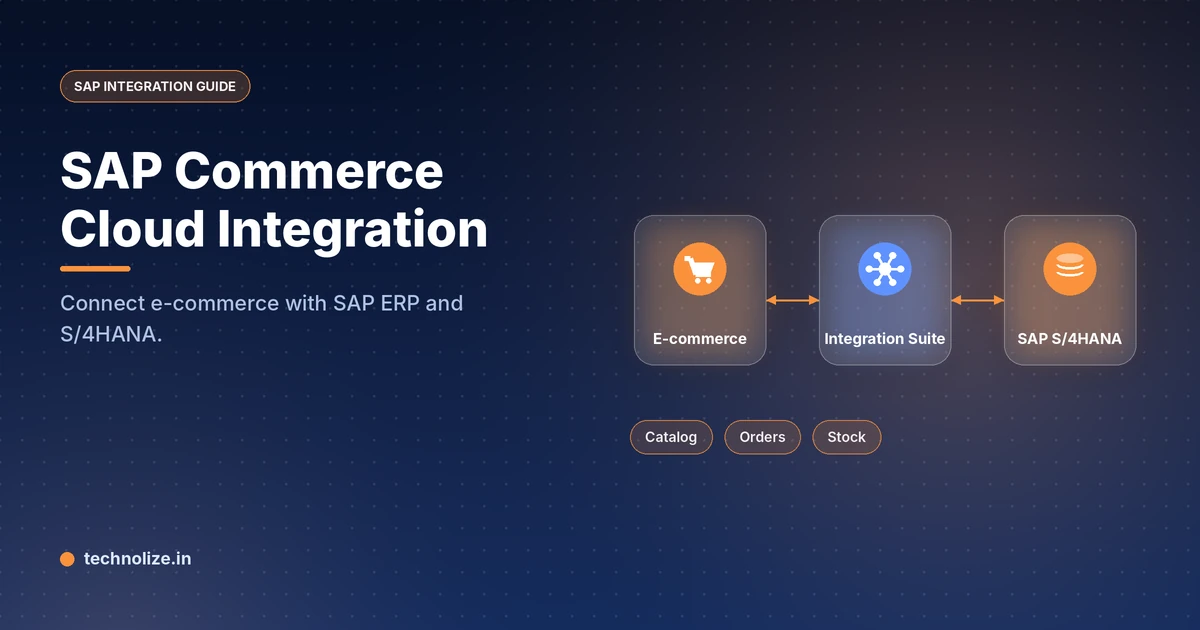
SAP Commerce Cloud integration connects an enterprise’s digital commerce experience with SAP ERP, SAP S/4HANA, and other business applications so that product information, pricing, availability, customer data, and orders can move between systems.
SAP provides integration options for SAP Commerce Cloud using SAP Integration Suite and the Integration API, along with supported integration extensions for specific business scenarios. The appropriate architecture depends on the SAP backend, commerce edition, order management requirements, and the data that must be exchanged. SAP Help Portal: SAP Commerce Cloud integrations
This guide explains the main integration use cases, architecture options, implementation roadmap, and technical decisions enterprise IT and e-commerce leaders should consider.
What Is SAP Commerce Cloud Integration?
SAP Commerce Cloud integration is the process of connecting an e-commerce platform with the enterprise systems that manage product data, pricing, inventory, customer records, orders, fulfillment, and financial transactions.
SAP Commerce Cloud manages digital commerce experiences, while SAP ERP or SAP S/4HANA may manage operational data and business processes such as inventory, order fulfillment, logistics, and financial accounting.
Integration allows the systems to exchange the information required to support the online buying journey.
Common integration scenarios include:
- Synchronizing product and catalog information.
- Replicating prices and relevant product attributes.
- Displaying stock availability from connected inventory systems.
- Transferring online orders to the appropriate backend.
- Synchronizing customer and business partner information.
- Exchanging order status, delivery, and fulfillment information.
- Supporting returns and other post-purchase processes.
SAP documents integration capabilities for master data, orders, availability, returns, and fulfillment. However, the availability of each function depends on the selected integration solution and target system. SAP Commerce integration extension pack
Why Do Enterprises Need SAP Commerce Cloud Integration?
A disconnected e-commerce platform can create problems across sales, inventory, customer service, and finance.
1. Keep product information consistent
Customers expect product names, descriptions, identifiers, and relevant attributes to be accurate. When product information is maintained in multiple systems, changes may not reach the online store consistently.
Integration can help synchronize product master data from the backend, reducing the need for repeated manual updates.
2. Improve pricing accuracy
Online prices may depend on product configuration, customer agreements, sales organization, currency, or regional business rules.
Integration helps connect the commerce experience with the appropriate pricing source. The architecture must define whether prices are replicated in advance or retrieved dynamically for supported scenarios.
3. Improve stock availability visibility
Displaying stock availability requires more than copying a quantity into a product record. The business may need to account for warehouse locations, reservations, existing orders, and inventory commitments.
A suitable integration can connect the online store with the relevant availability or order management services.
SAP documents availability integrations for live available-to-sell checks and, in supported B2B scenarios, future stock availability. The exact behavior depends on the selected order management integration. SAP Help: SAP Commerce integration capabilities
4. Reduce manual order processing
When an online customer places an order, the business needs to validate the order, process it in the backend, and coordinate fulfillment.
Integration can transfer orders into the appropriate ERP or order management system and exchange the relevant order status information, reducing manual handling of supported workflows.
5. Connect digital sales with fulfillment
An order is not complete when the customer clicks the checkout button. It must move through the relevant fulfillment, delivery, billing, and post-purchase processes.
Integration helps connect the storefront with backend systems responsible for these activities, giving customers and support teams better access to order information.
Key SAP Commerce Cloud Integration Use Cases
The integration scope should be based on the customer journey and the operational processes behind it.
Product catalog and master data integration
Product data is the foundation of an online store.
A typical integration may synchronize product identifiers, descriptions, categories, units of measure, and other attributes from SAP ERP or SAP S/4HANA to SAP Commerce Cloud.
The implementation should define which system owns each attribute, how product changes are propagated, and how missing or invalid data is handled.
SAP’s integration extension documentation describes product and master data replication from SAP S/4HANA and SAP ERP to SAP Commerce Cloud using SAP Cloud Integration for supported integration scenarios. SAP Help: Product exchange integration
Pricing and promotions
Customers need accurate pricing before completing a purchase.
Depending on the architecture, pricing information may be replicated to the commerce platform or obtained through a supported backend service. Promotions, customer-specific prices, discounts, and regional pricing rules may require different handling.
The integration design should clarify which system calculates the final price and how price changes are reflected online.
Inventory and availability
A product may exist in the catalog without being immediately available for delivery.
Inventory integration connects the commerce experience with the relevant availability information. Depending on the solution, this may involve replicated stock levels, live availability checks, or order management services.
Important design considerations include:
- Which warehouse or fulfillment location supplies the product.
- Whether availability is checked before checkout or during order creation.
- How reservations and concurrent orders are handled.
- How inventory changes reach the storefront.
- What the customer sees when availability cannot be confirmed.
The system should not display inventory information as guaranteed availability unless the underlying business process supports that commitment.
Customer and business partner integration
B2C and B2B commerce often require different customer data models.
A B2C store may manage individual customer accounts and addresses. A B2B store may also need business partners, purchasing organizations, customer-specific pricing, account assignments, and other enterprise relationships.
Integration should define where customer records are created, which system owns account information, and how updates and duplicate records are handled.
Sales order integration
When a customer places an order, the commerce platform needs to send the required information to the system responsible for sales order processing.
This can include product identifiers, quantities, customer references, prices, delivery details, and other mandatory fields.
SAP documents integration scenarios where orders are replicated asynchronously to SAP S/4HANA and scenarios that support synchronous order creation using supported APIs. The choice depends on the backend and required order management behavior. SAP Help: SAP S/4HANA order management integration
Order status, delivery, and billing
Customers want to know whether their order has been accepted, shipped, delivered, or otherwise updated.
Integration can exchange relevant order and fulfillment statuses between the commerce platform and the backend.
SAP documents asynchronous order management scenarios in which order fulfillment takes place in SAP ERP and information about orders, deliveries, and goods issues is exchanged with SAP Commerce Cloud. The exact flow depends on the selected integration module. SAP Help: Commerce integration extension pack
Returns and after-sales processes
Customers may request returns through the online store, while support teams may initiate them through an administrative interface.
For supported return order scenarios, SAP Commerce Cloud can integrate return requests with SAP backend systems.
The implementation should define eligibility rules, return authorization, inventory impact, refund responsibilities, and the status updates that customers can see.
How Does SAP Commerce Cloud Integration Work?
A typical integration landscape includes SAP Commerce Cloud, an integration layer or supported API connection, and the SAP backend responsible for business operations.
A simplified order process looks like this:
- Product and relevant master data are made available to the commerce platform.
- The customer browses products and checks prices and availability.
- The customer submits an order through the storefront.
- The order is validated and transferred to the configured backend or order management service.
- The backend processes the order according to the business rules.
- Order, delivery, and other relevant status information is exchanged where supported.
- Monitoring helps the support team investigate failed or delayed transactions.
This is a conceptual flow rather than a universal technical sequence. Some implementations replicate data ahead of time, while others retrieve selected information dynamically.
The Role of SAP Integration Suite
SAP Integration Suite provides integration capabilities for connecting applications across cloud, on-premises, and hybrid environments.
For SAP Commerce Cloud, SAP documents the use of SAP Cloud Integration together with Integration APIs to connect with SAP CRM, SAP ERP, SAP S/4HANA, and other supported backend systems. SAP Help: Why use SAP Cloud Integration?
Depending on the scenario, the integration layer can help with:
- Transferring messages between applications.
- Mapping data fields and transforming payloads.
- Routing messages to the correct backend.
- Coordinating multi-step business processes.
- Monitoring integration flows and investigating errors.
- Managing connectivity between cloud and on-premises systems.
SAP Commerce Cloud also provides Integration APIs and Integration Objects for defining data that can be sent to or received from the commerce platform. These capabilities support integration with backend systems and external applications. SAP Help: Integration API module
Important: SAP Integration Suite is not a substitute for defining the correct business process. The project still needs to decide which application owns product data, how pricing is calculated, where orders are processed, and how exceptions are resolved.
Choosing the Right Integration Architecture
The correct architecture depends on the e-commerce operating model, backend systems, and customer experience requirements.
| Architecture option | When to evaluate it |
| Standard SAP Commerce integration extensions | When documented integration content supports the required backend and business process |
| SAP Integration Suite with Integration APIs | When application-to-application data exchange, transformation, and orchestration are required |
| API-based integration | When the required commerce or ERP functionality is exposed through supported APIs |
| Order management integration | When order creation, sourcing, availability, and fulfillment need coordinated handling |
| Hybrid integration | When different business processes require different supported patterns |
A B2B business requiring customer-specific pricing and live inventory may need a different design from a B2C store that synchronizes product data and processes orders asynchronously.
The architecture should also account for the ERP edition. Integration options for SAP S/4HANA Cloud Public Edition are not automatically identical to those for SAP S/4HANA on-premises or private cloud.
Important Design Decisions Before Implementation
1. Establish data ownership
Determine which system owns each business object.
For example, the ERP system may own product master data and inventory records, while SAP Commerce Cloud manages storefront content and the online customer experience.
Customer data, pricing, product descriptions, and order status may have different ownership rules. Document these responsibilities before building integration flows.
2. Decide between replicated and live data
Some data can be synchronized ahead of time, while other information may need to be retrieved when the customer interacts with the store.
Product descriptions and catalog attributes may be suitable for replication. Real-time pricing or availability may require a supported service call, depending on the business model.
The decision should balance data freshness, performance, system load, and customer expectations.
3. Define order processing behavior
Order integration should specify whether order creation is synchronous or asynchronous.
With synchronous processing, the storefront may wait for the backend response before confirming certain order details. With asynchronous processing, the commerce system can submit an order for later processing and receive updates through the configured flow.
The customer-facing experience must reflect the actual processing model. An order should not be presented as fully confirmed if the business process has not reached that state.
4. Plan for data mapping and validation
The commerce and ERP systems may use different data structures and mandatory fields.
Define mapping rules for product IDs, units of measure, quantities, prices, currencies, customer identifiers, delivery addresses, tax details, and order references.
Test both standard and exceptional scenarios, including invalid customer data, discontinued products, missing pricing information, and backend validation failures.
5. Design security and access controls
The integration may handle customer records, order information, account details, and commercially sensitive pricing.
Use appropriate authentication, authorization, encrypted communication, credential management, and access restrictions. Public storefront APIs should expose only the data and operations intended for the relevant user or application.
6. Build monitoring and recovery into the design
A failed product synchronization can leave customers viewing outdated information. A failed order transfer can interrupt sales processing.
Establish monitoring for data synchronization, API failures, message processing, and order status updates. Define who investigates each failure, how records are corrected, and how transactions are safely reprocessed.
7. Plan for performance and scale
Commerce integrations must support the expected customer traffic, product catalog size, order volumes, and seasonal demand.
Test API response times, synchronization windows, message throughput, and backend capacity. Avoid unnecessary synchronous calls that could slow down the customer journey.
SAP Commerce Cloud Integration Implementation Roadmap
Phase 1: Assess the current landscape
Document the commerce storefront, SAP ERP or S/4HANA environment, existing interfaces, product catalog, pricing model, inventory sources, and order processing workflow.
Identify the main problems affecting customer experience or operational efficiency.
Deliverable: Current-state assessment and prioritized integration scope.
Phase 2: Design the target architecture
Define the systems responsible for product data, pricing, inventory, customer records, orders, and fulfillment.
Select the supported integration methods, identify standard content that can be reused, and document mapping, security, monitoring, and error-handling requirements.
Deliverable: Target architecture and interface specifications.
Phase 3: Configure and develop
Configure the required connections, integration extensions, APIs, mappings, and business rules.
Implement custom integration only where standard supported capabilities do not meet the requirement.
Deliverable: Configured integration components and documented settings.
Phase 4: Test end-to-end customer journeys
Test the full customer experience as well as the underlying technical messages.
Include:
- Product creation and updates.
- Price changes and customer-specific pricing where applicable.
- Inventory availability and unavailable products.
- Customer registration and account updates.
- Order creation and backend validation.
- Order changes, cancellations, and returns where in scope.
- Delivery and order status synchronization.
- Failed messages and safe reprocessing.
- Performance under expected demand.
Deliverable: Test evidence, resolved defects, and business acceptance.
Phase 5: Deploy and stabilize
Plan the rollout to minimize disruption to active sales operations.
Confirm monitoring, support responsibilities, recovery procedures, and business escalation paths before launch. Review failed transactions and customer-impacting issues during the initial production period.
Deliverable: Production deployment and operational handover.
Common SAP Commerce Cloud Integration Challenges
Outdated product or pricing data
If synchronization is delayed or fails, customers may see inaccurate product information or prices. Define update schedules, monitoring, and recovery procedures according to the business risk.
Incorrect inventory availability
Inventory may change between the time a product is displayed and the time an order is submitted. The architecture should define how availability is checked, whether stock is reserved, and how unavailable items are handled.
Order duplication or failed transfer
Network or backend failures can interrupt order processing. Design idempotency and recovery behavior appropriate to the interface so that retrying a failed request does not unintentionally create duplicate orders.
Poorly defined data ownership
When multiple systems update the same records, conflicting changes can occur. Assign ownership for each data object and document how updates are reconciled.
Excessive custom development
Building custom integration for functionality already supported by SAP can increase maintenance effort. Evaluate documented integration extensions and APIs before creating new interfaces.
Inadequate performance testing
An integration that works with a small test catalog may behave differently under a large product load or during peak sales periods. Test representative data volumes, concurrent requests, and backend response times.
Business Benefits of SAP Commerce Cloud Integration
A well-designed integration can help enterprises:
- Maintain more consistent product and pricing information.
- Improve visibility into inventory availability.
- Reduce manual order entry and reconciliation.
- Connect online orders with backend fulfillment processes.
- Improve access to order status and delivery information.
- Support a more consistent experience across sales channels.
- Reduce the operational effort associated with failed data transfers.
The actual results depend on the existing landscape, data quality, architecture, and business processes. Organizations should establish baseline measures before implementation to evaluate improvements in order-processing time, synchronization failures, manual corrections, and customer-facing availability accuracy.
How to Choose an SAP Commerce Cloud Integration Partner
An integration partner should understand both the commerce platform and the operational systems behind it.
Evaluate prospective partners on the following criteria:
- SAP Commerce Cloud experience: Experience with the relevant commerce edition and architecture.
- ERP integration expertise: Knowledge of SAP ERP, SAP S/4HANA, and the supported integration options for the target environment.
- Product and pricing integration: Ability to handle product master data, pricing rules, and customer-specific requirements.
- Order management knowledge: Understanding of order creation, inventory sourcing, fulfillment, and status synchronization.
- API and middleware expertise: Experience with SAP Integration Suite, Integration APIs, and supported backend APIs.
- Security and performance: Ability to design secure connections and test realistic workloads.
- Monitoring and support: Clear procedures for diagnosing failed synchronization and order-processing issues.
- Documentation and handover: Complete interface specifications, operational guidance, and knowledge transfer.
Ask a prospective partner to explain how it would handle an online order that is accepted by the storefront but rejected by the ERP backend. The answer should cover order status, error visibility, duplicate prevention, customer communication, and safe recovery.
SAP Commerce Cloud Integration Checklist
Before production deployment, confirm that:
- The SAP Commerce Cloud and backend editions are identified.
- Supported integration options are verified.
- Product, pricing, customer, inventory, and order ownership is documented.
- Replicated and live data requirements are defined.
- API security and access controls are configured.
- Order creation and status handling are documented.
- End-to-end customer journeys are tested.
- Error handling and safe reprocessing are implemented.
- Performance testing covers expected traffic and data volumes.
- Monitoring and operational ownership are agreed.
- Documentation and knowledge transfer are complete.
Frequently Asked Questions
What is SAP Commerce Cloud integration?
SAP Commerce Cloud integration connects an enterprise’s e-commerce platform with SAP ERP, SAP S/4HANA, and other applications to exchange product information, prices, inventory data, customer records, orders, and fulfillment updates.
Can SAP Commerce Cloud integrate with SAP S/4HANA?
Yes. SAP documents several integration scenarios connecting SAP Commerce Cloud with SAP S/4HANA. The supported capabilities and configuration depend on the S/4HANA edition, commerce solution, and required business processes.
Can SAP Commerce Cloud integrate with SAP ERP?
Yes. SAP documents integration options for SAP ERP and SAP S/4HANA, including master data, order management, and fulfillment scenarios. The appropriate integration content depends on the backend version and business requirements.
Is SAP Integration Suite required for SAP Commerce Cloud integration?
SAP documents integration using SAP Cloud Integration and Integration APIs, alongside other supported integration capabilities. Whether a particular integration service or extension is required depends on the selected scenario and architecture.
Can SAP Commerce Cloud display real-time inventory and pricing?
Supported integration scenarios can provide live availability checks and access to relevant pricing information. The exact behavior depends on the selected solution, backend capabilities, and configuration. Not every implementation automatically provides real-time inventory or pricing.
How long does SAP Commerce Cloud integration take?
There is no universal timeline. Duration depends on the number of interfaces, product catalog size, pricing complexity, order management model, ERP environment, custom requirements, and testing scope. A technical assessment is needed for a realistic estimate.
What are the main challenges in SAP Commerce Cloud integration?
Common challenges include inconsistent product data, incorrect pricing, stock availability discrepancies, failed order transfers, unclear system ownership, API performance issues, and insufficient monitoring.
Final Thoughts
SAP Commerce Cloud integration connects the customer-facing e-commerce experience with the enterprise systems responsible for product information, pricing, inventory, order processing, and fulfillment.
The most effective implementation begins with clear business requirements and a well-defined data ownership model. By selecting supported integration methods, validating complete customer journeys, and establishing monitoring and recovery procedures, enterprises can build a more reliable digital commerce operation.
For organizations modernizing their SAP integration landscape, Technolize can help assess integration requirements, define the target architecture, and plan implementation around business and technical priorities.