Business travel creates financial transactions that need to be recorded, reviewed, approved, and reconciled. Employees submit expenses, finance teams validate claims, managers approve spending, and accounting teams ensure that transactions reach the correct financial accounts.
When travel and expense management operates separately from an enterprise’s financial systems, employees may need to enter information more than once, finance teams may spend additional time correcting errors, and expense records can become difficult to reconcile.
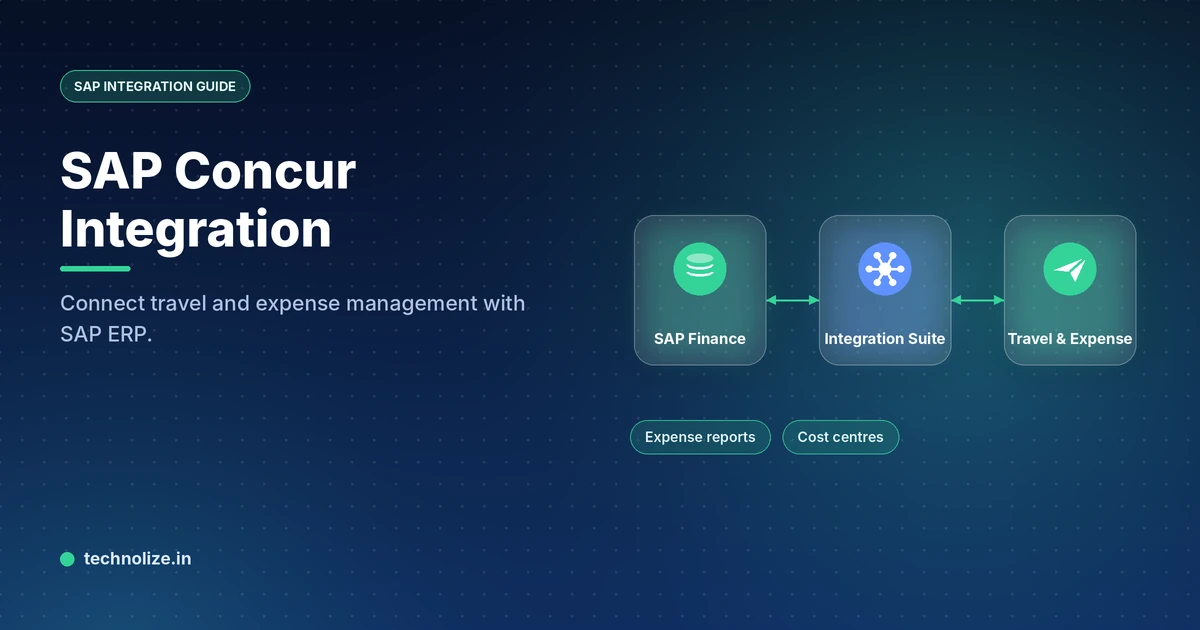
SAP Concur integration connects travel and expense management with SAP ERP or SAP S/4HANA, helping enterprises exchange financial master data, process approved expense documents, and coordinate reimbursement workflows.
SAP documents integration scenarios that support the replication of relevant master data, such as cost objects, and the transfer of Concur financial documents into SAP S/4HANA. Supported reimbursement options and configuration requirements depend on the target system and integration scenario. SAP Help Portal: Integration with SAP Concur
This guide explains the key integration use cases, architecture options, implementation steps, and common challenges enterprise IT and finance leaders should consider.
What Is SAP Concur Integration?
SAP Concur integration is the process of connecting SAP Concur solutions, such as Concur Expense or Concur Invoice, with SAP ERP, SAP S/4HANA, or other business applications.
SAP Concur supports travel and expense management processes, while the financial system manages accounting records and related enterprise financial operations.
Integration enables the systems to exchange information required for these processes.
Common integration scenarios include:
- Replicating cost objects and relevant financial master data from SAP to SAP Concur.
- Transferring approved expense reports for financial posting.
- Supporting cash advance processing where available.
- Exchanging invoice-related information for supported Concur Invoice scenarios.
- Returning posting feedback so finance teams can identify errors.
- Supporting reimbursement through the configured financial, payroll, or payment process.
The exact scope depends on the Concur product edition, SAP system, and selected integration configuration.
Why Do Enterprises Need SAP Concur Integration?
Travel and expense management affects employees, managers, finance teams, accounting, and sometimes payroll. A disconnected process can create additional work at each stage.
1. Reduce manual financial data entry
When expense data must be re-entered into the ERP system, finance teams spend time on repetitive administrative tasks.
Integration can transfer approved financial documents to the relevant SAP system, reducing duplicate entry for supported workflows.
2. Improve expense coding accuracy
Expense reports need appropriate account assignments and financial references. If the relevant cost objects or accounting information are outdated, transactions may be rejected or require correction.
Replicating the necessary master data and configuring account mappings can help improve consistency between SAP Concur and the financial system.
3. Improve financial visibility
Finance teams need to know whether approved expense documents have been received and posted successfully.
Where the integration supports posting feedback, the status returned by the financial system can help identify unsuccessful transactions and guide corrective action.
4. Support a more controlled reimbursement process
Expense approval and reimbursement are related but distinct activities. Integration can help coordinate approved expense documents with the configured financial, payroll, or payment process.
The implementation should define which system is responsible for approval, accounting, payment execution, and the final reimbursement status.
5. Support consistent processes across business units
Enterprises operating across multiple company codes or regions may have different expense policies, currencies, cost objects, and accounting rules.
A well-designed integration helps maintain the required financial references while respecting local business requirements and the capabilities of the selected SAP Concur edition.
Key SAP Concur Integration Use Cases
The integration scope should be based on the financial processes the organization needs to support.
Expense report integration
Employees submit expense reports containing information about business travel, meals, accommodation, transportation, and other permitted expenses.
After the required approvals, supported integration scenarios can transfer the financial information to SAP S/4HANA or another configured financial system for processing.
The integration should account for expense categories, account assignments, tax information, company codes, and other fields required by the target system.
Cost object and master data replication
Employees need accurate financial references when preparing expense reports.
Depending on the integration configuration, SAP can replicate relevant cost objects from the financial system to SAP Concur. These may include supported cost centers, internal orders, or work breakdown structure elements.
SAP’s documentation for SAP S/4HANA Cloud describes source-data replication for cost objects, allowing employees to select relevant financial references when preparing expense reports. SAP Help: Source data integration
This helps reduce errors caused by invalid or outdated accounting references.
Financial posting
Financial posting transfers approved expense-related documents from SAP Concur into the financial system.
For supported SAP S/4HANA Cloud scenarios, SAP documents a process in which the integration retrieves queued financial documents and returns feedback confirming receipt and providing posting status. SAP Help: Financial posting
The implementation must define the posting schedule, account mapping, tax configuration, clearing accounts where applicable, and procedures for correcting failed documents.
Cash advance processing
Some organizations provide employees with advances for business travel or other approved expenses.
Where supported, integration can connect cash advance documents with financial processing and reconciliation. The project should define how advances are approved, recorded, settled against actual expenses, and reconciled.
Invoice integration
Organizations using Concur Invoice may need to connect invoice-related documents with their financial systems.
The relevant integration can support financial processing for the configured invoice workflow. However, supplier invoice processing, employee expense claims, and travel booking are different business processes and should be scoped separately.
Payroll and reimbursement integration
Depending on the organization’s setup, employee reimbursements may involve financial accounting, payroll, or a supported payment service.
The target architecture should establish which system calculates or initiates reimbursement, which system records the financial transaction, and how the final status is communicated.
How Does SAP Concur Integration Work?
A typical SAP Concur integration includes the Concur application, the SAP financial system, configured connections, and the business rules that control data exchange.
A simplified process looks like this:
- SAP provides the relevant master data, such as cost objects, where replication is configured.
- An employee creates and submits an expense report in SAP Concur.
- The report follows the configured approval workflow.
- Approved documents become available for financial processing according to the integration configuration.
- SAP S/4HANA or the relevant financial system retrieves and processes the documents.
- Posting feedback or error information is returned where supported.
- Finance teams investigate failures and correct the underlying data or configuration.
This is a high-level example, not a universal sequence. The actual process depends on the SAP Concur edition, target financial system, integration method, and configured workflow.
SAP Concur Integration With SAP S/4HANA
SAP provides documented integration options for SAP Concur with SAP S/4HANA. The applicable setup differs by deployment model and Concur edition.
SAP S/4HANA Cloud
SAP documents integration for SAP S/4HANA Cloud that can support source-data replication and financial posting for eligible Concur Expense and Concur Invoice scenarios.
For example, cost objects can be made available to Concur Expense, while approved expense or invoice documents can be transferred to the financial system under the configured posting process. Supported features vary by edition and scenario. SAP S/4HANA Cloud integration guide
SAP S/4HANA on-premise and private cloud
SAP also documents integration scenarios for SAP S/4HANA and SAP S/4HANA Cloud Private Edition.
These scenarios include secured bidirectional communication, relevant master data exchange, and the import of Concur financial documents. The available functions and configuration depend on the system version and implementation requirements. SAP Help: SAP S/4HANA and SAP Concur
Before choosing an integration approach, confirm the target edition, Concur product, supported financial documents, and prerequisites.
Choosing the Right Integration Approach
There is no single integration pattern that applies to every SAP Concur environment.
| Integration option | When to evaluate it |
| SAP’s documented integration for SAP S/4HANA | When the target edition and Concur scenario are supported |
| SAP Integration with Concur Solutions for SAP ECC or S/4HANA | When the documented integration and prerequisites match the existing landscape |
| API-based integration | When supported APIs meet the required data and process needs |
| Middleware-based integration | When the landscape requires additional routing, transformation, or coordination with other applications |
| Hybrid integration | When different processes require different supported integration patterns |
SAP provides separate setup documentation for SAP ECC and SAP S/4HANA as well as for SAP S/4HANA Cloud. SAP Concur integration documentation
An architecture decision should be based on supported functionality, maintainability, security, transaction volume, and the organization’s existing integration landscape. Avoid introducing extra middleware unless it serves a clear technical or business purpose.
Important Design Decisions Before Implementation
1. Define the financial system of record
Determine which application owns each type of information.
For example, SAP S/4HANA may own cost centers, general ledger accounts, and financial posting records, while SAP Concur manages the employee-facing expense submission process.
The implementation should document ownership for each data object and establish how updates are handled.
2. Map expense types to financial accounts
Expense categories in SAP Concur must correspond to the required financial accounts and posting rules.
Define the mappings for expense types, general ledger accounts, tax codes, company codes, and any other fields needed by the target financial system.
SAP’s setup documentation identifies account-code mapping, tax configuration, and clearing-account configuration as important elements of financial integration for applicable scenarios. SAP Help: Concur Expense and Invoice configuration
3. Configure cost objects and master data
Confirm which master data must be available in SAP Concur and how frequently it should be refreshed.
The project should define how inactive cost objects, new organizational units, and changes to financial references are handled.
4. Define posting and reimbursement responsibilities
Expense approval, financial posting, and reimbursement should not be treated as one step.
Document which system performs each activity, what status changes are expected, and how rejected or corrected documents move through the process.
5. Plan for failed transactions
Financial documents may fail because of missing account mappings, invalid tax information, incorrect cost objects, or configuration issues.
Define how failed transactions are identified, who investigates them, how corrections are made, and how the document is safely submitted again.
6. Establish security and audit controls
Expense documents may contain employee details, travel information, receipts, and financial data.
Use appropriate authentication, access controls, encrypted communication, credential management, and audit logging. Ensure that users and integration accounts have only the permissions required for their responsibilities.
7. Set up monitoring and operational ownership
Finance and IT teams need visibility into data replication, document transfers, and posting results.
SAP documents monitoring capabilities for its SAP Concur integration with SAP S/4HANA. The project should define who reviews failures, how issues are escalated, and how business users are informed of delays. SAP Help: Integration monitoring
SAP Concur Integration Implementation Roadmap
Phase 1: Assess the current process
Document the current expense workflow, Concur edition, SAP financial system, existing interfaces, accounting structure, reimbursement model, and business requirements.
Identify manual work, recurring posting errors, and gaps in financial visibility.
Deliverable: Current-state assessment and prioritized integration scope.
Phase 2: Design the integration
Select the supported integration approach and define master data requirements, accounting mappings, posting schedules, security, and exception handling.
Confirm which standard SAP integration capabilities are available and whether additional development is needed.
Deliverable: Target architecture and integration specifications.
Phase 3: Configure the systems
Configure the relevant connections, source-data replication, financial account mappings, tax settings, workflow options, and integration parameters.
Use standard supported functionality where it meets the requirement.
Deliverable: Configured integration and documented settings.
Phase 4: Test end-to-end scenarios
Testing should cover the complete expense process rather than just connectivity.
Include:
- Expense report submission and approval.
- Cost object availability and validation.
- Correct account and tax-code mapping.
- Financial posting and status feedback.
- Cash advance scenarios where applicable.
- Rejected documents and corrective actions.
- Duplicate prevention and safe reprocessing.
- Access controls and monitoring.
- Expected transaction volumes.
Deliverable: Test evidence, defect resolution, and business acceptance.
Phase 5: Deploy and stabilize
Deploy according to an agreed cutover plan. Confirm that monitoring, support responsibilities, and recovery procedures are ready before production use.
Review posting failures and user feedback during the initial production period.
Deliverable: Production deployment and operational handover.
Common SAP Concur Integration Challenges
Incorrect account mapping
Expense categories that do not map correctly to SAP financial accounts can cause posting errors. Validate mappings with finance teams and test representative expense scenarios.
Outdated master data
Employees may select invalid or obsolete cost objects if replication is incomplete or delayed. Establish clear ownership and a process for keeping financial references current.
Unclear reimbursement responsibilities
An expense report may be approved without being posted or reimbursed. Document the distinction between approval, financial posting, payment execution, and final status.
Inadequate error handling
If posting failures are not visible to the right team, expenses can remain unresolved. Use monitoring and documented procedures for correction and reprocessing.
Assuming every SAP edition works the same way
Supported functionality and configuration differ across SAP S/4HANA Cloud, private cloud, on-premise, and Concur editions. Validate the relevant SAP documentation before finalizing scope or promising specific capabilities.
Business Benefits of SAP Concur Integration
A well-designed integration can help enterprises:
- Reduce duplicate financial data entry.
- Improve consistency between expense and accounting records.
- Make relevant cost objects available during expense submission.
- Improve visibility into financial posting status.
- Reduce manual investigation of rejected expense documents.
- Support more controlled reimbursement workflows.
- Establish clearer accountability for financial exceptions.
The results depend on the quality of the existing process, data, configuration, and adoption. Organizations should measure improvements against a baseline rather than assume that integration alone will eliminate every manual activity.
How to Choose an SAP Concur Integration Partner
An integration partner should understand both SAP technology and enterprise financial processes.
Evaluate potential partners on these criteria:
- Product experience: Experience with the relevant SAP Concur edition and SAP financial system.
- Integration architecture: Knowledge of the supported options for the target deployment model.
- Finance process understanding: Experience with expense reports, accounting, tax mapping, and reimbursement workflows.
- Master data management: Ability to configure and validate cost objects and related financial references.
- Testing methodology: Coverage of normal processing, rejected documents, and reprocessing.
- Security and governance: Clear controls for access, credentials, and employee financial information.
- Monitoring and support: Defined procedures for tracking posting failures and resolving errors.
- Documentation and knowledge transfer: Clear technical documentation and operating procedures for internal teams.
Ask a potential partner to explain how it would diagnose an expense report that is approved in SAP Concur but fails during financial posting. A practical answer should cover account mapping, master data, error feedback, correction, and reprocessing.
SAP Concur Integration Checklist
Before production deployment, confirm that:
- The SAP Concur edition and target financial system are identified.
- Supported integration options and prerequisites are verified.
- System-of-record responsibilities are documented.
- Expense types and financial accounts are mapped.
- Required cost objects and master data are configured.
- Tax and clearing-account settings are reviewed where applicable.
- Financial posting and reimbursement responsibilities are defined.
- End-to-end testing is completed.
- Failed documents can be monitored and corrected.
- Security and access controls are configured.
- Production support responsibilities are agreed.
- Documentation and knowledge transfer are complete.
Frequently Asked Questions
What is SAP Concur integration?
SAP Concur integration connects travel and expense management with financial and enterprise systems so that relevant master data, approved expense documents, and posting information can be exchanged.
Can SAP Concur integrate with SAP S/4HANA?
Yes. SAP documents integration scenarios for SAP S/4HANA Cloud, private cloud, and on-premise environments. Supported functionality depends on the deployment model, Concur edition, and business process.
Can SAP Concur integrate with SAP ECC?
SAP provides integration setup documentation for SAP ECC and SAP S/4HANA. The applicable configuration and supported scope should be verified against the organization’s specific system and Concur solution.
What data is exchanged between SAP Concur and SAP S/4HANA?
Depending on the selected integration, this may include cost objects and other relevant master data, expense reports, cash advances, invoice-related financial documents, and posting feedback. Not every implementation supports every document type.
Does SAP Concur integration automate employee reimbursement?
Integration can support the financial processing and reimbursement workflow, but the exact process depends on the configured financial, payroll, or payment solution. Expense approval, posting, and payment are separate steps that should be defined in the implementation design.
How long does SAP Concur integration take?
There is no universal timeline. Duration depends on the SAP environment, Concur edition, number of company codes, account mappings, master data quality, testing requirements, and reimbursement process. A scoped assessment is needed for a reliable estimate.
What are the main challenges in SAP Concur integration?
Common challenges include incorrect financial account mapping, outdated cost objects, tax configuration issues, posting failures, unclear reimbursement responsibilities, and insufficient monitoring.
Final Thoughts
SAP Concur integration helps enterprises connect employee expense management with the financial systems responsible for recording and processing business transactions.
The best approach starts with the organization’s expense workflow, accounting requirements, and target SAP environment. By defining data ownership, validating account mappings, testing end-to-end scenarios, and establishing clear monitoring procedures, enterprises can build a more consistent and manageable expense process.
For organizations modernizing their SAP integration landscape, Technolize can help assess integration requirements, plan the target architecture, and align implementation with business and technical priorities.