Listing summary: A guide to running EDI and B2B exchanges with SAP: formats, partner onboarding, Trading Partner Management, monitoring and how to move off legacy EDI tools.
Every new customer or supplier you add means another set of message formats, another test cycle and another set of exceptions to watch. Companies that handle this with hand-built mappings find that onboarding one partner takes weeks and breaking one mapping breaks three others. This guide explains how to run B2B and EDI exchanges with SAP in a way that scales.
Quick Answer
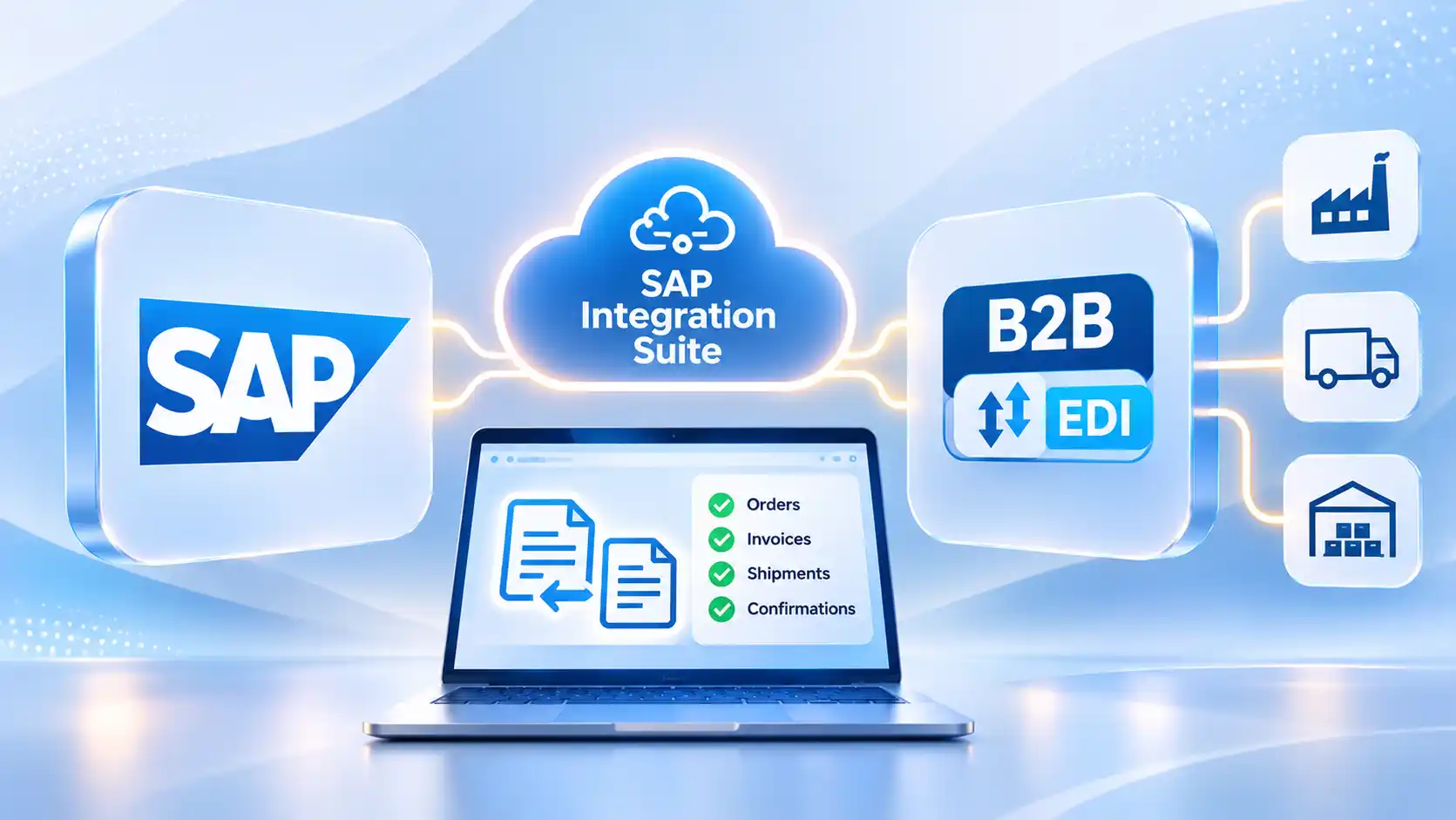
SAP Integration Suite supports business-to-business exchanges with standard EDI formats such as EDIFACT, ANSI X12 and TRADACOMS, along with AS2 and other partner protocols. Its B2B tooling includes Integration Advisor for designing mappings and Trading Partner Management for storing partner profiles and agreements. Used together with Cloud Integration, they let you onboard partners from reusable building blocks instead of building each exchange from scratch.
What B2B Integration Really Involves
B2B integration is more than converting a file. For each partner you manage:
Partner Identification
How the partner is recognised in each message.
Message Format
Which standard, which version and which message types are required.
Transport Protocol
AS2, SFTP, HTTPS or a value-added network.
Business Rules
Which fields are mandatory and which codes are allowed.
Trading Partner Agreements
Who sends what, when acknowledgements are expected and how errors are handled.
Monitoring
Proof that a document was sent, received and processed.
When these live in scattered scripts and spreadsheets, onboarding is slow and audits are painful.
Typical EDI Messages in SAP Landscapes
Different business documents are exchanged between trading partners using standard EDI message types and corresponding SAP objects.
| Business Document | Common EDI Type | SAP Object |
|---|---|---|
| Purchase order | ORDERS or 850 | Sales order or purchase order |
| Order response | ORDRSP or 855 | Order confirmation |
| Advance ship notice | DESADV or 856 | Delivery |
| Invoice | INVOIC or 810 | Billing document or supplier invoice |
| Remittance advice | REMADV or 820 | Payment advice |
| Inventory report | INVRPT or 846 | Stock |
The exact message set depends on your industry, region and the partner’s preferences.
The Building Blocks in SAP Integration Suite
Integration Advisor
Integration Advisor helps design message interfaces and mapping guidelines. It draws on a library of industry standards and offers proposals that speed up mapping work, so analysts spend their time on business rules rather than field-by-field typing.
Trading Partner Management
Trading Partner Management holds your company profile, each partner’s profile and the agreements that define a B2B scenario. A new partner that uses a message type you already support can often be onboarded by creating a profile and agreement instead of a new integration flow.
Cloud Integration
Cloud Integration executes the scenario. It provides EDI processing steps such as splitters and converters, adapters for AS2 and SFTP, security, and the runtime for your integration flows.
B2B Monitoring
B2B monitoring shows the status of exchanged documents by partner and agreement, which is what support teams and auditors need to see.
A Sound Trading Partner Onboarding Process
A structured onboarding process helps reduce repeated mapping work, improve testing and make partner activation faster.
- Collect requirements: Gather message types, versions, identifiers and test windows from the partner.
- Create the profile and agreement: Set up the partner profile and agreement in the central repository.
- Map to the canonical format: Use a common internal structure to keep the number of mappings manageable.
- Run connectivity and syntax tests: Follow these with business scenario tests using real master data.
- Agree go-live and fallback: Confirm responsibilities with the partner, including who contacts whom when something fails.
- Monitor intensively: Closely monitor exchanges for the first few weeks after go-live.
Why a Reusable Canonical Format Matters
A reusable canonical format is the single best investment. Without it, ten partners and five internal systems produce fifty mappings. With it, you maintain fifteen.
Moving Off Legacy EDI Platforms
Many enterprises still run older EDI translators or an on-premise middleware that is nearing end of life. Replacing it is rarely a pure technical swap. Plan the following steps:
Inventory Existing Partners and Interfaces
Inventory every partner, message type and mapping, including those nobody remembers.
Prioritise Partner Migration
Rank partners by volume and business risk, then migrate low-risk partners first.
Run Parallel Integration Paths
Run old and new paths in parallel for key partners before switching over.
Validate Connectivity and Acknowledgements
Confirm certificates, endpoints and acknowledgement behaviour with each partner.
Retire the Legacy Platform
Retire the old platform only after a full business cycle without incidents, including month-end and peak season.
Risks to Plan For
Partner Variation
Two partners using the same standard will still interpret optional fields differently.
Acknowledgements
Missing or late acknowledgements trigger disputes about whether an order was received.
Certificate Expiry
An expired certificate silently stops an entire partner flow. Track expiry dates centrally.
Volume Spikes
Seasonal peaks can multiply message counts. Test for them.
Compliance
Some sectors require message retention and audit trails for years.
Common Mistakes
- Building a new mapping for every partner instead of using a canonical model.
- Letting business analysts and developers work from different specifications.
- Monitoring only technical success and not business outcomes, such as an order that arrived but failed to create a sales document.
- Ignoring the partner’s own readiness. A perfect interface still fails if the partner’s system cannot test.
Frequently Asked Questions
Can SAP Integration Suite Replace a Dedicated EDI Platform?
For many scenarios, yes. It supports common EDI standards and partner protocols, along with agreements and monitoring. Very specialised needs, such as certain industry networks, should be assessed individually.
What EDI Standards Does It Support?
EDIFACT, ANSI X12 and TRADACOMS are supported, depending on scenario and configuration.
Do We Need Integration Advisor?
Not strictly, but it reduces mapping effort and keeps interface documentation consistent.
How Long Does It Take to Onboard a Partner?
With a canonical model and a reusable agreement, a standard partner can often be onboarded in days to a few weeks. The partner’s test readiness is usually the limiting factor.
Does This Work with SAP ECC and S/4HANA?
Yes. The B2B layer sits in front of either system.
How Do We Handle Partners Who Only Send Spreadsheets or PDFs?
Convert them to a structured format at the edge, then process them through the same internal flow. Plan to move such partners to structured exchange over time.
Talk to Technolize
Technolize helps enterprises design B2B and EDI scenarios on SAP Integration Suite and migrate away from ageing middleware. Book a consultation and we will review your partner landscape and outline an onboarding model that scales.