Listing summary: How event-driven architecture works with SAP, where it beats batch and API calls, the patterns to use, and a step-by-step approach to adopting it safely.
Most SAP integrations run on a timer. A job wakes up every fifteen minutes, asks what changed, and sends the answer on. It works, until the business asks why a customer saw yesterday’s stock level or why a credit block took an hour to reach the warehouse. Event-driven integration solves that by letting SAP announce changes the moment they happen. This guide explains when it is worth the effort and how to adopt it without creating a mess.
Quick Answer
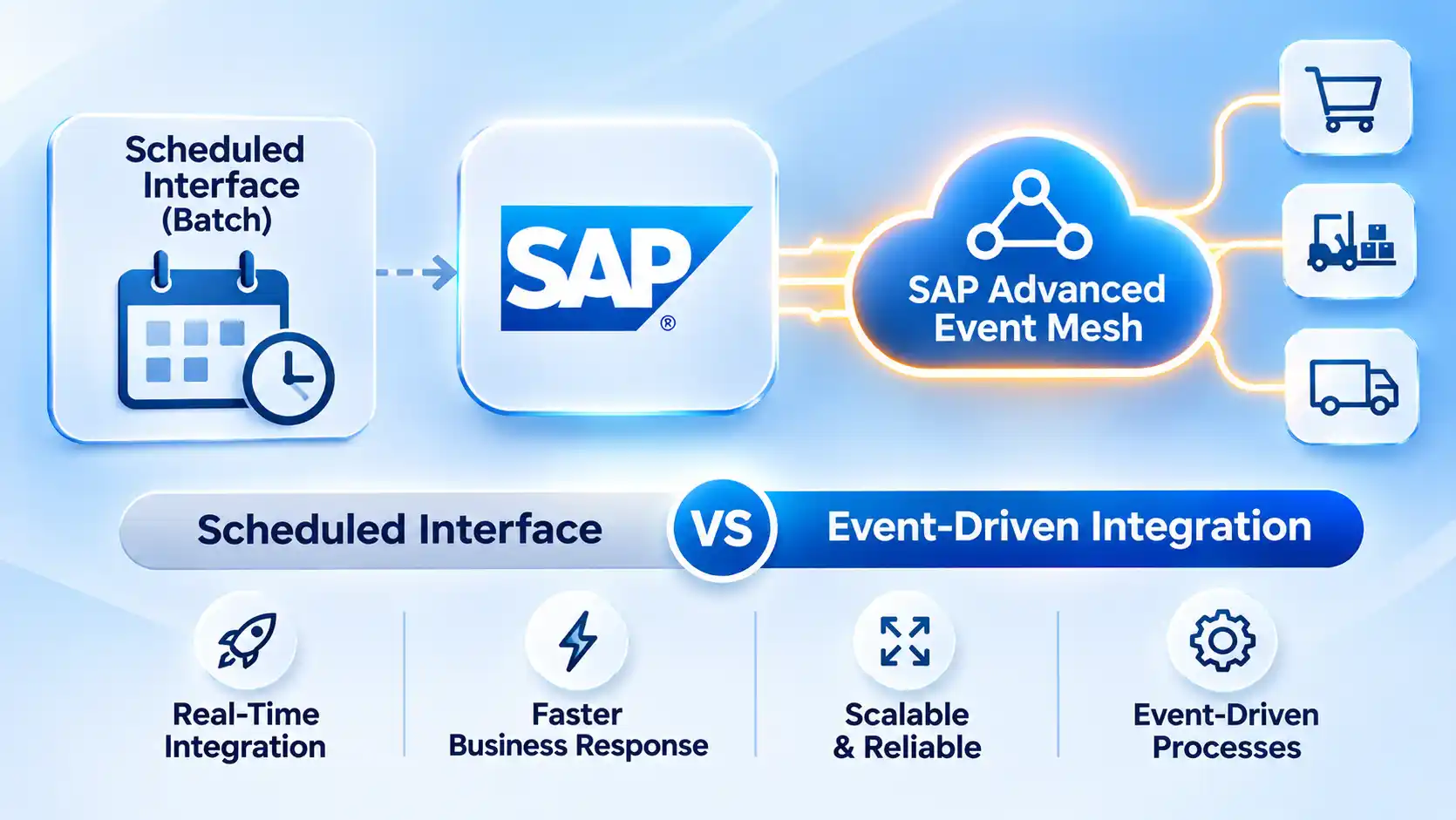
In an event-driven design, a system publishes a small message when something meaningful happens, such as a sales order created or a business partner changed. A broker distributes that message to every interested subscriber. SAP Integration Suite offers advanced event mesh for this purpose, designed for event streaming across hybrid and multi-cloud landscapes, alongside the earlier event mesh capability. Use events where timeliness or loose coupling is valuable, and keep APIs and batch jobs where they fit better.
Three Ways Systems Exchange Information
Enterprise systems typically exchange information through scheduled batch processing, request-and-response APIs or event-driven architecture. Each approach has its own strengths and limitations.
| Style | How It Works | Strength | Weakness |
|---|---|---|---|
| Scheduled batch | A job moves data at set times. | Simple, efficient for large volumes. | Data is always somewhat stale. |
| Request and response API | One system asks another and waits. | Immediate answers, easy to reason about. | Tight coupling; callers break when providers are slow. |
| Event-driven | A system publishes facts; others react. | Fast, loosely coupled, easy to add consumers. | Harder to trace and test. |
None of these is the best. A healthy landscape uses all three.
A Simple Example of Event-Driven Integration
A customer’s credit status changes in SAP. With batch integration, the order portal, the CRM and the warehouse system each learn about it at their next scheduled run, which might be hours later. With an event, SAP publishes one message. The portal blocks new orders, the CRM alerts the account manager and the warehouse holds shipments, all within seconds, and SAP does not need to know any of them exist.
The Advantage of Loose Coupling
Adding a fourth consumer next quarter takes no change in SAP. That is the real prize: you add capabilities without touching the core.
Where Event-Driven Integration Pays Off
Customer-Facing Data Freshness
Stock, price and order status shown in web shops and apps.
Cross-System Workflows
Onboarding a supplier triggers tasks in several tools.
Real-Time Alerting
A failed payment, a quality hold or a delayed shipment.
Data Platform Feeds
Streaming changes to analytics and AI systems.
Decoupling During Migration
Move from ECC to S/4HANA while consumers keep subscribing to the same events.
Where Event-Driven Integration Is the Wrong Tool
- Large one-time data loads.
- Operations needing an immediate, guaranteed answer to the caller.
- Processes with a single consumer and no foreseeable growth, where a direct API is simpler.
- Teams that have no capacity to operate and monitor a broker.
Core Design Concepts for SAP Event-Driven Architecture
Event Naming and Topics
Use a clear hierarchy so subscribers can select what they need, for example by business object, action and organisational unit.
Event Payload
Decide between notification events that carry only identifiers, and state events that carry the full data. Notification events keep messages small but make consumers call back for details. State events avoid the callback but make payload design a contract you must maintain.
Event Ordering
If two changes to the same order arrive out of sequence, a consumer could apply the old one last. Use keys or sequence numbers where order matters.
Delivery Guarantees
Most brokers deliver at least once, which means duplicates can occur. Make consumers idempotent.
Error Handling
Decide what happens to a message that cannot be processed: retry, dead-letter queue, and who reviews it.
Event Governance
Maintain a catalogue of events, owners, schemas and versions. Without it, an event mesh becomes a swamp.
How Events Fit with SAP Integration Suite
Events rarely replace integration flows. They change how flows start. A flow can subscribe to an event, enrich it by calling APIs, transform it and deliver it to a target system, with the same mapping, security and monitoring you already use. Integration Suite also helps when the event source is not SAP-native, such as a third-party application or an older SAP system that cannot publish events itself.
Combining Events with APIs and Integration Flows
Event-driven architecture can work alongside existing APIs and integration flows. Events trigger the process, APIs retrieve additional information when needed, and integration flows handle transformation and delivery to connected systems.
An Adoption Roadmap for SAP Event-Driven Integration
- Choose one use case: Select a business scenario with a clear payoff and a small number of consumers.
- Define the event contract: Establish the event name, payload, owner and version.
- Set up the broker environment: Configure security, networking and monitoring.
- Build the publisher and first consumer: Include retries and duplicate handling.
- Test failure modes: Cover consumer downtime, duplicate messages and out-of-order arrival.
- Publish guidelines: Ensure other teams follow the same conventions.
- Expand deliberately: Add one business domain at a time.
Common Mistakes in Event-Driven Integration
- Publishing every database change as an event. Publish business facts, not technical noise.
- Skipping the event catalogue.
- Letting consumers depend on undocumented payload fields.
- No monitoring of queue depth and consumer lag.
- Expecting events to fix poor master data.
How to Measure the Benefits of Event-Driven Integration
Pick measures before you start: delay between a business change and its visibility elsewhere, number of manual corrections caused by stale data, time to add a new consumer, and incident count on the affected interfaces. If these do not improve, revisit the design.
Key Performance Indicators to Track
- Time between a business event occurring and its visibility in connected systems.
- Number of manual corrections caused by stale data.
- Time required to add a new event consumer.
- Number of incidents affecting event-driven interfaces.
Frequently Asked Questions
What Is the Difference Between Event Mesh and Advanced Event Mesh?
Advanced event mesh is a fully managed service for building and managing event-driven architecture across distributed landscapes, with more advanced distribution, filtering and monitoring. Check SAP’s current documentation to see which capability fits your requirements.
Do We Need S/4HANA to Use Events?
No. S/4HANA and other SAP cloud products can publish business events natively, and older systems can publish through integration flows or connectors.
Will Events Replace Our Existing Interfaces?
No. They complement them. Keep batch and API interfaces where they remain the better fit.
Are Events Secure?
They can be, with authentication, authorisation and encryption on the broker, and care about what data an event carries.
How Do We Debug an Event Flow?
Use tracing and consistent message identifiers, and monitor queues. This is why monitoring must be designed in from the start.
How Long Does a First Use Case Take?
Often six to ten weeks, including broker setup and operating procedures.
Talk to Technolize
Technolize designs SAP integration landscapes that combine APIs, batch and events. Book a consultation and we will help you find where event-driven integration will pay off first.