Introduction
Sales teams often work in Salesforce while finance, supply chain, procurement, and operations teams work in SAP.
When these systems are not properly connected, employees may need to manually transfer customer, order, product, pricing, or transaction information between platforms.
This creates unnecessary work and can introduce delays and data inconsistencies.
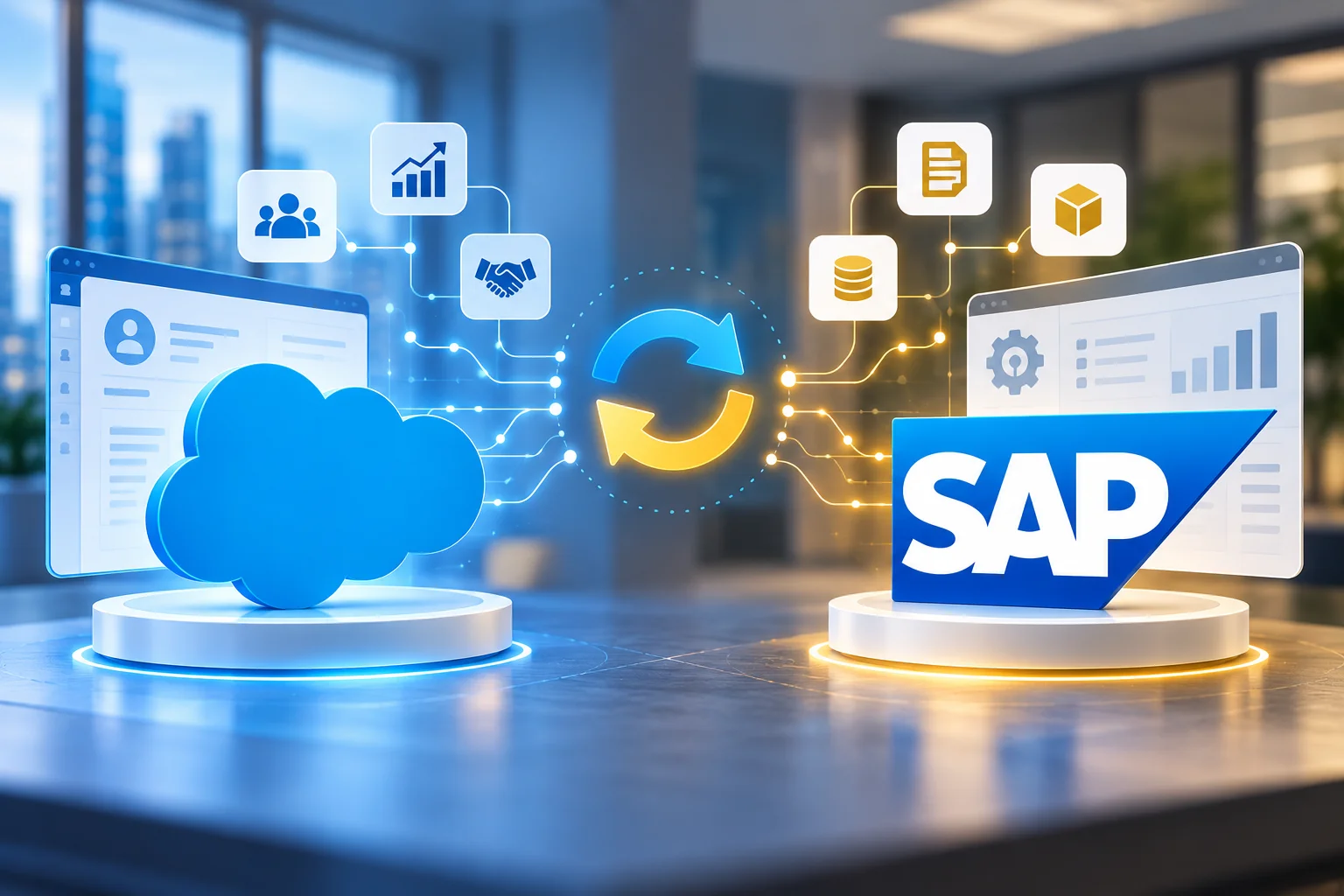
SAP Salesforce integration connects Salesforce with SAP systems so that relevant business information can move between CRM and ERP processes automatically.
SAP Integration Suite supports integration between SAP and third-party applications, including Salesforce, across cloud, on-premise, and hybrid landscapes. SAP also provides Salesforce connectivity through Integration Suite adapters and Salesforce Pub/Sub capabilities.
The right integration design depends on the organization’s business processes, data ownership, security requirements, and system landscape.
Quick Answer: What Is SAP Salesforce Integration?
SAP Salesforce integration is the process of connecting Salesforce with SAP applications such as SAP S/4HANA or SAP ERP so that relevant business data and processes can work together.
Salesforce → SAP
- Customer information
- Sales orders
- Opportunities
- Account updates
- Product selections
- Contract information
SAP → Salesforce
- Customer master data
- Product information
- Inventory availability
- Pricing
- Order status
- Delivery information
- Invoice or payment status
Instead of employees manually copying information between systems, an integration layer can automate the required exchange.
Why Integrate Salesforce With SAP?
Salesforce and SAP often manage different parts of the same customer journey.
Salesforce Can Support
- Lead management
- Opportunity management
- Sales activities
- Account management
- Customer engagement
SAP Can Manage
- Order processing
- Finance
- Inventory
- Procurement
- Logistics
- Billing
- Supply chain
Without integration, these processes can become disconnected.
A salesperson may see one version of a customer or order while the ERP system contains another.
Integration creates a controlled flow of information between the systems.
Common Problems Caused by Manual SAP-Salesforce Data Transfer
Duplicate Data Entry
Employees may enter the same customer or order information into both systems.
Data Inconsistency
A change made in one system may not immediately appear in the other.
Delayed Order Processing
Sales teams may have to wait for information to be transferred into SAP before downstream processes can begin.
Limited Visibility
Sales representatives may not have access to current ERP information such as order status, inventory, or billing information.
Higher Operational Effort
Teams spend time moving data instead of working on higher-value activities.
Increased Error Risk
Manual entry increases the possibility of incorrect customer IDs, quantities, prices, addresses, or order details.
What Systems Can Be Connected?
The exact architecture depends on the enterprise landscape.
Common scenarios include:
- Salesforce + SAP S/4HANA
- Salesforce + SAP ERP
- Salesforce + SAP Customer Experience solutions
- Salesforce + SAP SuccessFactors
- Salesforce + SAP Ariba
- Salesforce + SAP Analytics solutions
- Salesforce + SAP BTP
- Salesforce + SAP Integration Suite
The integration platform can act as the intermediary between Salesforce and SAP rather than creating a direct connection between every application.
SAP Integration Suite for Salesforce Integration
SAP Integration Suite provides integration capabilities for connecting SAP and non-SAP applications.
SAP documentation lists Salesforce connectivity through Integration Suite, including Salesforce sender and receiver adapters.
SAP also provides a Salesforce Pub/Sub adapter that can consume messages from Salesforce Pub/Sub. Salesforce Pub/Sub supports platform events and change data capture events.
This gives enterprises options beyond simple scheduled data transfers.
Supported Integration Approaches
- API-based integration
- Real-time integration
- Event-driven integration
- Batch integration
- Hybrid integration
- Process orchestration
SAP Salesforce Integration Architecture
A typical architecture can look like this:
Salesforce
↓
SAP Integration Suite
↓
SAP S/4HANA / SAP ERP
Key Responsibilities of the Integration Layer
- Authentication
- Data transformation
- Routing
- Validation
- Error handling
- Monitoring
- API management
- Message processing
SAP describes Cloud Integration as supporting application-to-application integration across cloud, on-premise, and hybrid landscapes, including SAP and non-SAP systems.
This approach also avoids creating multiple tightly coupled point-to-point connections.
Salesforce to SAP Integration Examples
1. Customer Creation
A new customer is created or approved in Salesforce.
The integration can send the required customer information to SAP.
SAP can then create or update the corresponding business partner or customer record according to the organization’s master-data process.
2. Sales Order Creation
A salesperson creates an opportunity or order-related transaction in Salesforce.
Once the required business conditions are satisfied, relevant information can be sent to SAP for order processing.
The resulting SAP order number or status can then be returned to Salesforce.
3. Order Status Updates
SAP processes an order.
The integration can send relevant status information back to Salesforce so that sales teams can see the current order state.
4. Product Synchronization
Product information maintained in SAP can be made available to Salesforce.
This can help sales teams work with approved product information instead of maintaining separate product datasets.
5. Pricing Information
Depending on the business design, pricing information can be requested from SAP when sales users need it.
This can reduce the need to maintain separate pricing logic in Salesforce.
6. Inventory Availability
Sales teams may need to know whether products are available before committing to customers.
An integration can allow Salesforce processes to access relevant inventory information from SAP.
7. Invoice and Payment Status
SAP finance processes can provide relevant invoice or payment status information back to Salesforce.
This gives customer-facing teams greater visibility without requiring them to access the ERP system for every inquiry.
Real-Time vs Batch SAP Salesforce Integration
Not every integration needs to be real-time.
The correct approach depends on the business requirement.
Real-Time Integration
Suitable for scenarios where information must be available immediately.
Examples
- Order creation
- Pricing lookup
- Inventory availability
- Customer validation
- Credit-related checks
Batch Integration
Suitable when information does not need to be synchronized immediately.
Examples
- Large product updates
- Historical data transfers
- Periodic reporting datasets
- Non-critical master-data synchronization
Event-Driven Integration
Useful when an application needs to react to a business event.
Salesforce Pub/Sub can support platform events and change data capture scenarios through the Salesforce Pub/Sub adapter in SAP Integration Suite.
The integration strategy should choose the pattern based on business requirements rather than using real-time processing everywhere.
What Data Should Be Integrated?
One of the most important design decisions is deciding which system owns which data.
A typical integration project may involve:
| Data | Possible System of Record |
|---|---|
| Customer master | SAP or Salesforce, depending on business model |
| Product master | SAP |
| Pricing | SAP |
| Inventory | SAP |
| Opportunity | Salesforce |
| Sales activity | Salesforce |
| Sales order | SAP |
| Order status | SAP |
| Invoice | SAP |
| Payment status | SAP |
These are examples only.
The actual system of record should be determined during the integration design.
Master Data Management Is Critical
Integration does not automatically solve data-quality problems.
If Salesforce contains duplicate customers and SAP contains incomplete records, connecting both systems can simply move bad data faster.
Before integration, enterprises should define:
- Customer identifiers
- Account ownership
- Product identifiers
- Address standards
- Data validation rules
- Duplicate management
- Master-data ownership
- Update authority
- Synchronization frequency
The integration should enforce these rules rather than creating another uncontrolled copy of the data.
API-Based SAP Salesforce Integration
APIs are useful when applications need controlled access to specific business capabilities or data.
For example, Salesforce could request:
- Customer credit information
- Product details
- Inventory availability
- Pricing
- Order status
Instead of transferring entire datasets, the integration can expose the required business capability through an API.
SAP Integration Suite provides API Management capabilities for securing, publishing, governing, and monitoring APIs.
Event-Driven SAP Salesforce Integration
Event-driven integration can be useful when systems need to respond to changes.
For example:
Salesforce
Customer or business event occurs
↓
Salesforce Pub/Sub
↓
SAP Integration Suite
↓
SAP
This can reduce the need for continuous polling in scenarios where event-based processing is appropriate.
Salesforce Pub/Sub integration in SAP Integration Suite supports platform events and change data capture events.
Security Considerations
SAP-Salesforce integration involves business and customer data, so security should be designed from the beginning.
Key Security Areas
- Authentication
- Authorization
- Credential management
- Encryption
- API security
- Network access
- Role management
- Data minimization
- Audit logging
- Error-message handling
SAP Integration Suite supports different authentication approaches for Salesforce connectivity, including OAuth-based options depending on the adapter and scenario.
Production authentication should follow the organization’s security standards rather than relying on simple credential-based configurations.
Error Handling and Monitoring
A successful integration is not one that works only when everything goes correctly.
It must also handle failures.
Common Integration Failures
- Salesforce API unavailable
- SAP system unavailable
- Invalid customer data
- Missing mandatory fields
- Duplicate records
- Authentication failure
- Incorrect mapping
- Timeout
- Business validation failure
Error Management Process
Detect → Log → Alert → Retry where appropriate → Resolve → Reprocess
Business users and support teams should also know who owns failed transactions.
Data Mapping Between Salesforce and SAP
Salesforce and SAP may use different:
- Field names
- Data structures
- Identifiers
- Formats
- Validation rules
- Code values
Example of Field Mapping
Salesforce
Account NameSAP
Business Partner NameThe integration needs a defined mapping between the two systems.
Mapping Should Cover
- Field mapping
- Mandatory fields
- Default values
- Code conversion
- Data transformation
- Validation
- Error handling
Poor mapping design can create data-quality issues even when the technical connection works correctly.
How to Avoid Point-to-Point Integration
A common architecture problem is:
- Salesforce → SAP
- Salesforce → ERP database
- Salesforce → Warehouse
- Salesforce → Reporting platform
As the number of systems grows, direct connections can become difficult to maintain.
A centralized integration layer can provide a controlled architecture:
Salesforce
↕
SAP Integration Suite
↕
SAP + Other Enterprise Systems
SAP Integration Suite is designed to support cloud, on-premise, and hybrid integration scenarios, making it suitable for broader enterprise integration rather than only one Salesforce connection.
SAP Salesforce Integration Implementation Approach
Phase 1: Business Process Discovery
Identify the processes that currently require manual data transfer.
Document
- Current process
- Users involved
- Systems involved
- Data exchanged
- Frequency
- Business impact
- Current problems
Phase 2: Data and Ownership Assessment
Define:
- System of record
- Data owners
- Business identifiers
- Required fields
- Validation rules
- Synchronization requirements
Phase 3: Integration Architecture
Define:
- Integration platform
- APIs
- Integration flows
- Events
- Batch processes
- Connectivity
- Security
Phase 4: Mapping and Development
Build the required:
- Integration flows
- API connections
- Transformations
- Validations
- Error handling
- Monitoring
Phase 5: Testing
Testing should cover:
- Successful transactions
- Invalid data
- Duplicate records
- Authentication failures
- System downtime
- Retry scenarios
- High-volume scenarios
- Business validation
Phase 6: Deployment
Move the integration into production using controlled deployment procedures.
Phase 7: Monitoring and Optimization
After launch, monitor:
- Transaction success rate
- Failed messages
- Processing time
- API usage
- Data-quality issues
- Support tickets
Common SAP Salesforce Integration Mistakes
Integrating Everything
Not every Salesforce field needs to be synchronized with SAP.
No Clear System of Record
If both systems can freely overwrite the same data, conflicts can occur.
Ignoring Data Quality
Duplicate and incorrect data can spread between systems.
Using Real-Time Integration Everywhere
Some information can be transferred through scheduled processes.
No Error-Reprocessing Strategy
Failed transactions need a defined recovery process.
Hardcoding Business Rules
Business rules should be designed for maintainability and future changes.
Ignoring API Limits
Both platforms have technical limits and integration requirements that should be considered during architecture and capacity planning.
No Monitoring Ownership
Someone should be responsible for identifying and resolving integration failures.
SAP Salesforce Integration Benefits
A properly designed integration can help enterprises achieve:
- Less manual data entry
- Better data consistency
- Faster order processing
- Improved sales visibility
- Better customer information
- Reduced operational effort
- More reliable business processes
- Better integration monitoring
- Greater scalability
The exact benefits depend on which processes are integrated and how effectively the solution is implemented.
SAP Salesforce Integration Checklist
Before starting the project, confirm:
- Business processes are documented
- Salesforce objects are identified
- SAP business objects are identified
- System-of-record ownership is defined
- Data mappings are documented
- Integration patterns are selected
- API requirements are defined
- Event requirements are evaluated
- Security requirements are documented
- Authentication method is selected
- Error handling is designed
- Monitoring is planned
- Testing scenarios are documented
- Business owners are identified
- Technical support ownership is defined
FAQs
What is SAP Salesforce integration?
SAP Salesforce integration connects Salesforce with SAP applications so that relevant business data and processes can be exchanged automatically.
Can Salesforce integrate with SAP S/4HANA?
Yes. Salesforce can be integrated with SAP S/4HANA through an integration platform such as SAP Integration Suite, depending on the specific business scenario and interfaces available.
Can SAP Integration Suite connect to Salesforce?
Yes. SAP Integration Suite provides Salesforce connectivity through Salesforce adapters, and SAP also provides Salesforce Pub/Sub integration capabilities.
What data is commonly integrated between Salesforce and SAP?
Common examples include customer data, products, pricing, sales orders, order status, inventory, invoices, and payment-related information.
Should Salesforce or SAP be the master for customer data?
There is no universal answer. The enterprise should define the system of record based on its business processes, data ownership, and master-data strategy.
Is SAP Salesforce integration real-time?
It can be. Enterprises can use real-time APIs, event-driven integration, or scheduled/batch processing depending on the business requirement.
Can Salesforce Pub/Sub be used with SAP Integration Suite?
Yes. SAP provides a Salesforce Pub/Sub adapter for consuming messages from Salesforce Pub/Sub, including platform events and change data capture events.
How does SAP Integration Suite help with Salesforce integration?
It can provide the integration layer for connectivity, transformation, routing, orchestration, API management, monitoring, and hybrid integration between Salesforce and SAP systems.
What is the biggest challenge in SAP Salesforce integration?
The biggest challenges are usually not limited to connectivity. Data ownership, mapping, business-process design, security, error handling, and ongoing support need to be addressed together.
Final Thoughts
SAP Salesforce integration is about more than connecting two applications.
Salesforce may manage customer-facing activities while SAP manages critical operational and financial processes. Without integration, employees can end up manually moving information between these systems.
A well-designed integration layer can automate that exchange while providing controlled data transformation, security, monitoring, and error handling.
For enterprises using Salesforce alongside SAP S/4HANA or other SAP systems, SAP Integration Suite provides a platform for building these connections across cloud, on-premise, and hybrid environments.